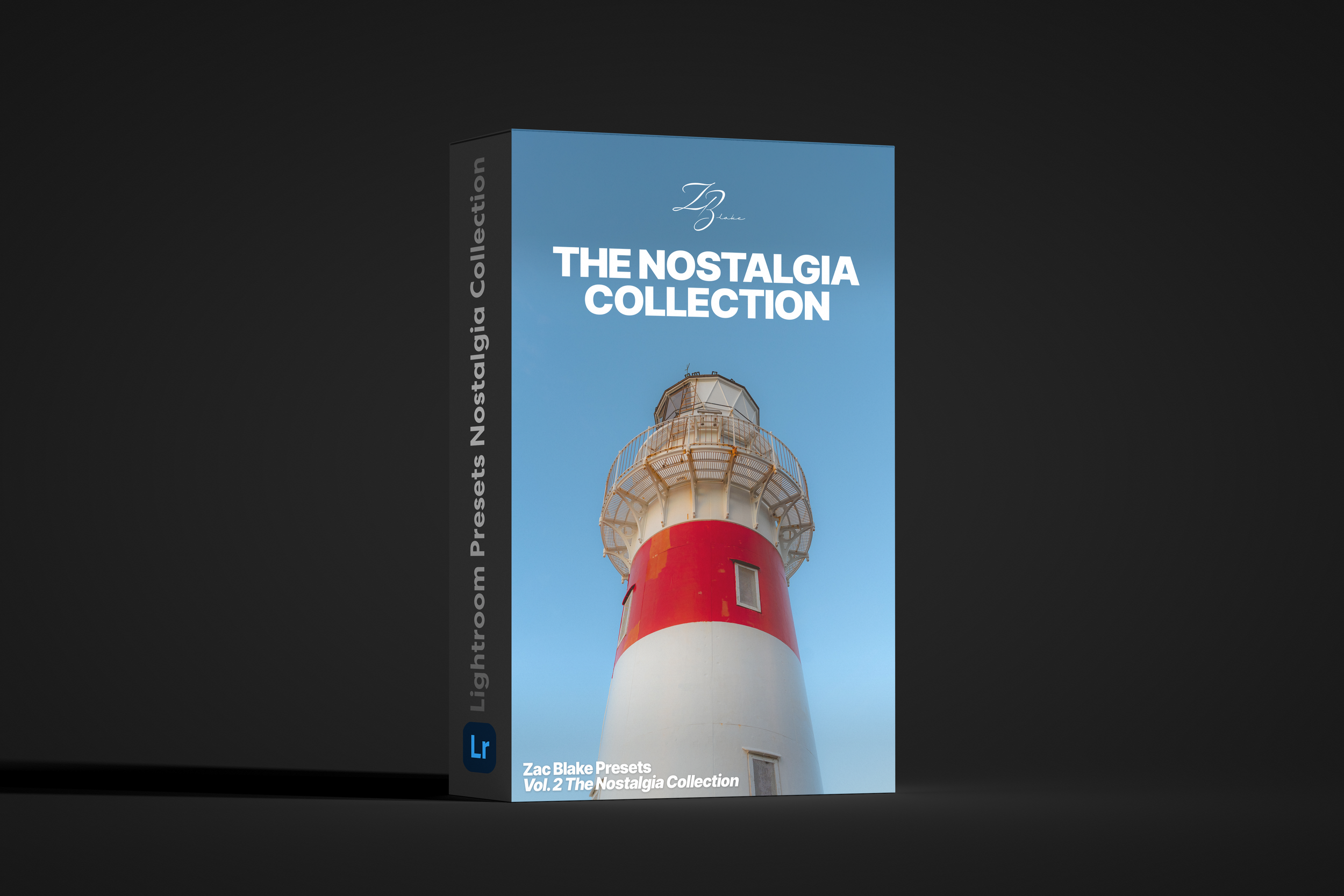
ZB Presets - The Nostalgia Collection

US$15.00

The Nostalgia Collection contains 15 Lightroom Presets that I use when I want a more vintage and nostalgic look to my images - Fully compatible with Adobe Lightroom and Lightroom Mobile.

Useful for editing a variety of images from landscapes to portraits to city scenes, these presets are designed to keep a soft, natural feel to your images and are the perfect base for you to build your own style.

These presets were designed using Sony images but are compatible with all RAW format images from any camera.

What’s Included:

  • 15 .xmp files compatible with Lightroom CC, Lightroom Classic & Lightroom Mobile

  • Tutorial video detailing how to download, import and use presets

  • 5 of my own RAW photos to use to understand how the presets work

Want the best results?

Watch the video included and fine tune presets to your own style and liking!

Disclaimer: These are not a “One click and done” solution and may still require small edits.

The Nostalgia Collection contains 15 Lightroom Presets that I use when I want a more vintage and nostalgic look to my images - Fully compatible with Adobe Lightroom and Lightroom Mobile.

Useful for editing a variety of images from landscapes to portraits to city scenes, these presets are designed to keep a soft, natural feel to your images and are the perfect base for you to build your own style.

These presets were designed using Sony images but are compatible with all RAW format images from any camera.

What’s Included:

  • 15 .xmp files compatible with Lightroom CC, Lightroom Classic & Lightroom Mobile

  • Tutorial video detailing how to download, import and use presets

  • 5 of my own RAW photos to use to understand how the presets work

Want the best results?

Watch the video included and fine tune presets to your own style and liking!

Disclaimer: These are not a “One click and done” solution and may still require small edits.

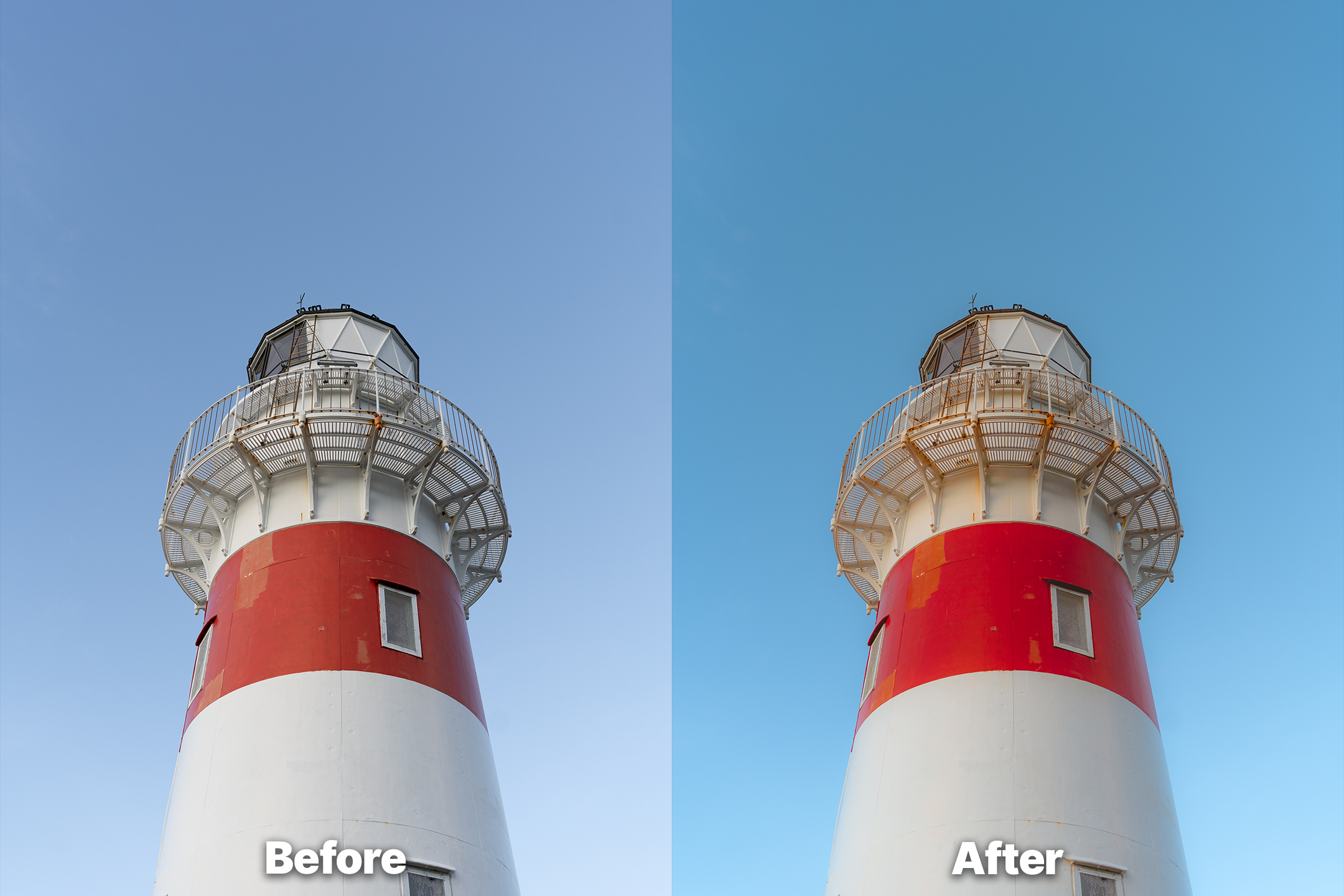
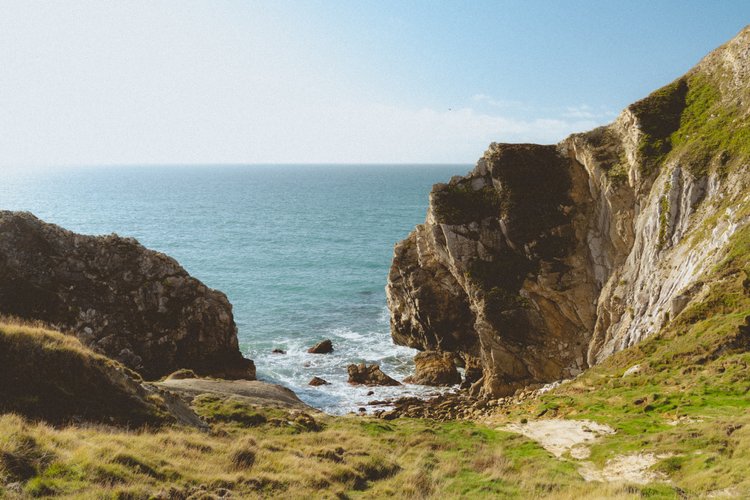
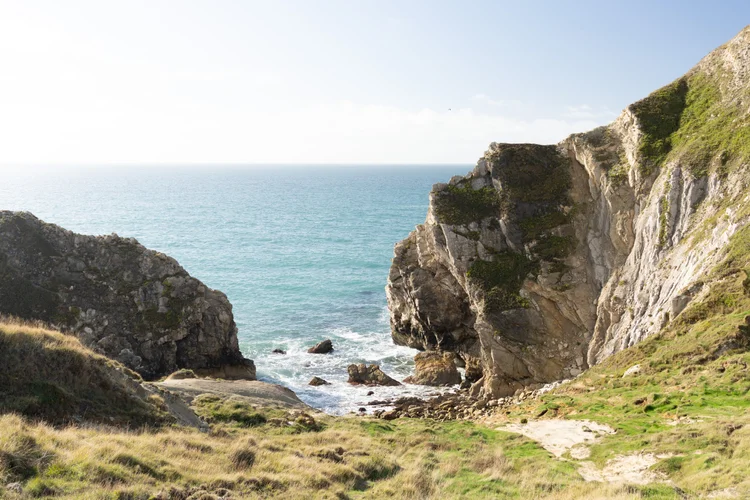
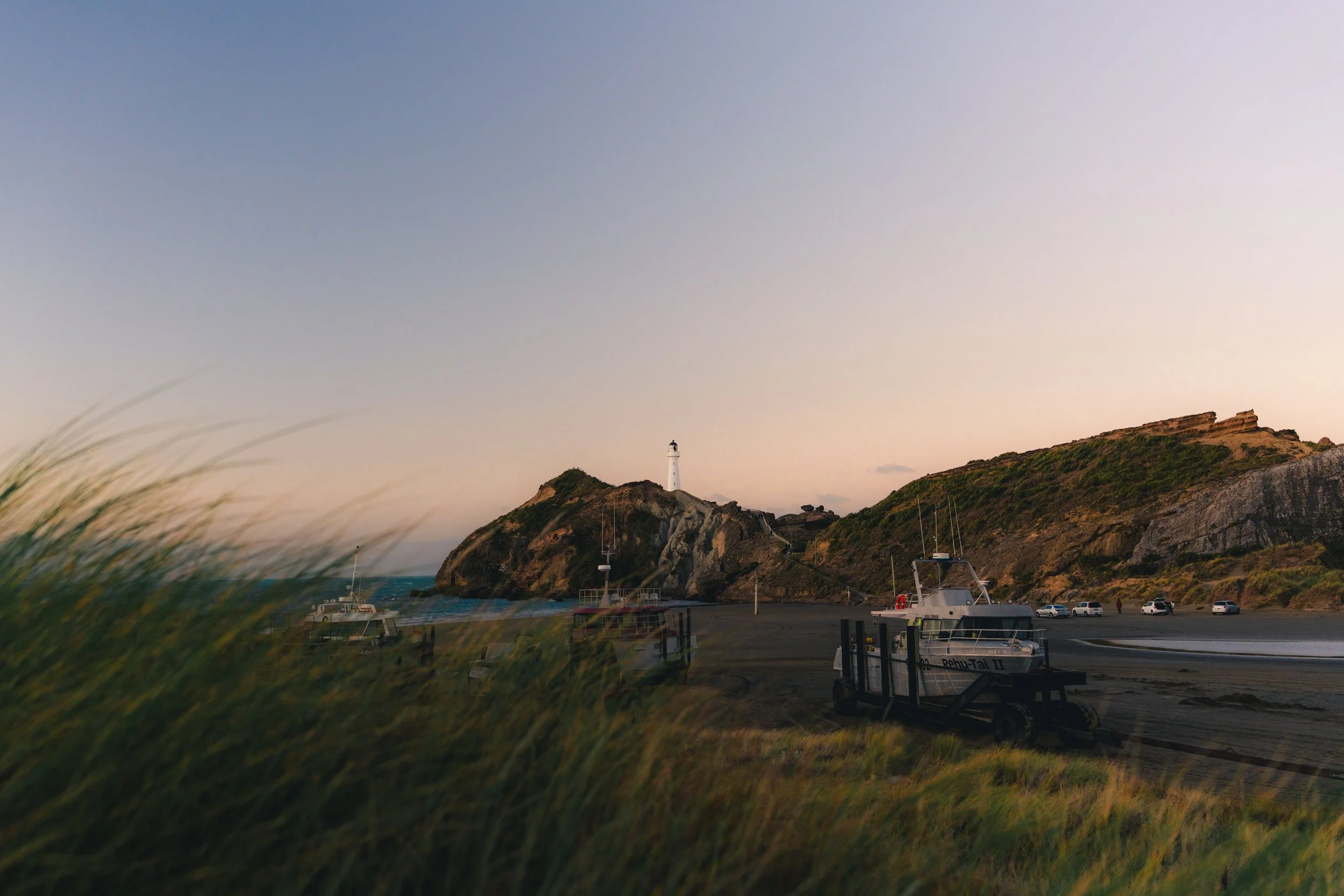
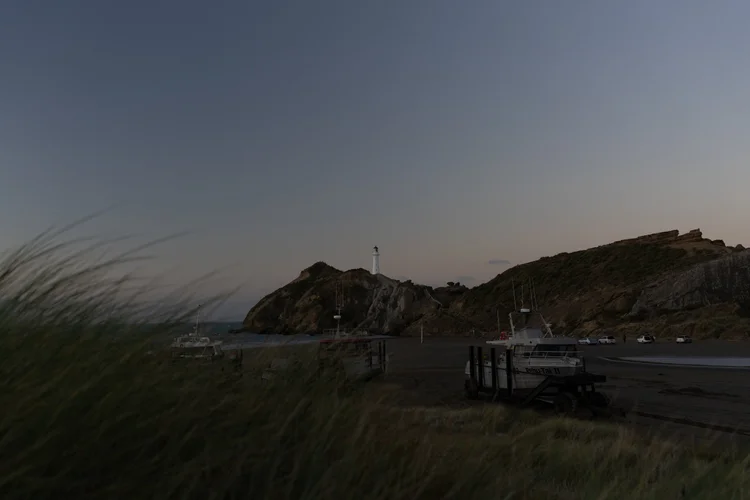
After — Nostalgia preset applied
Before — unedited
Before After
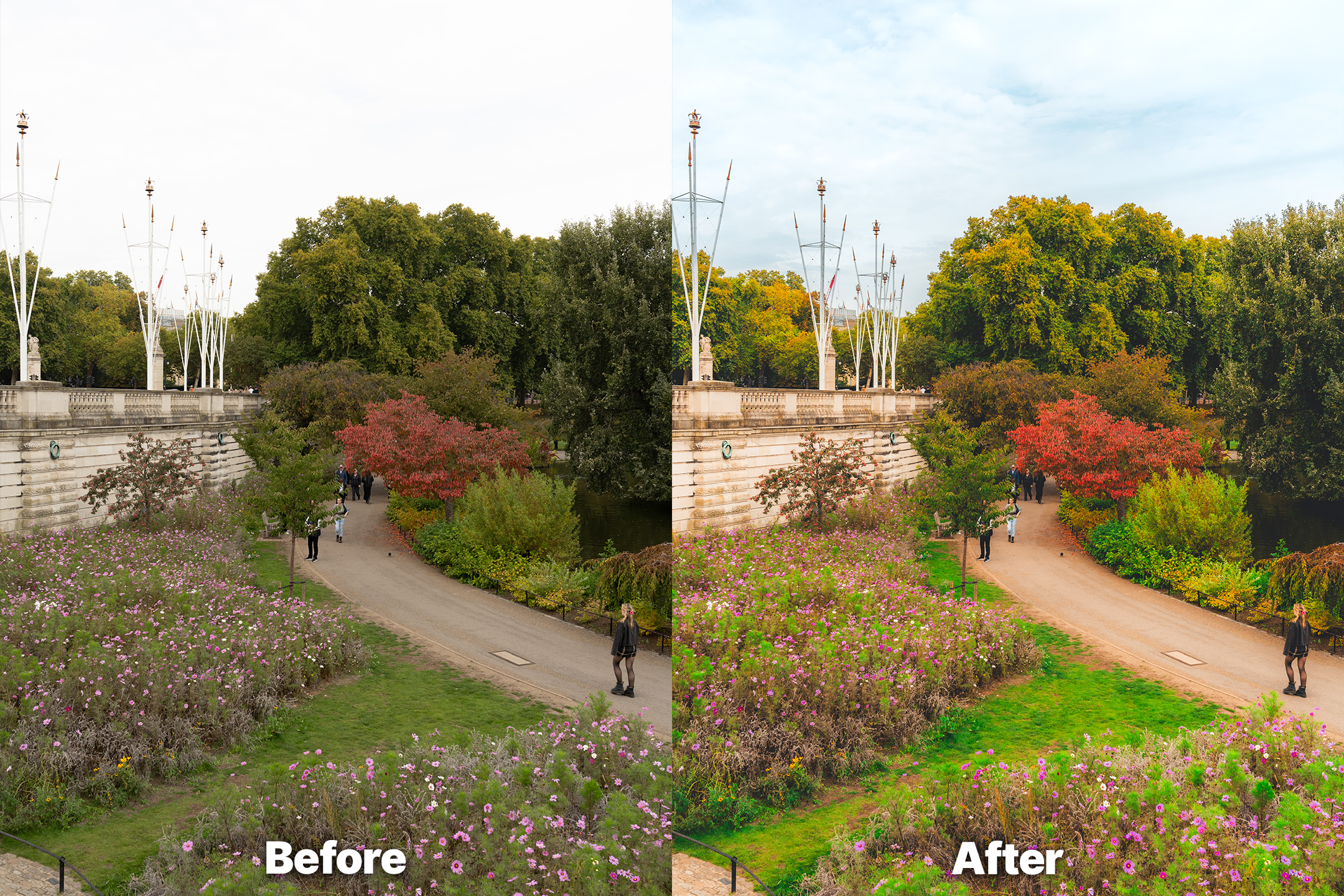
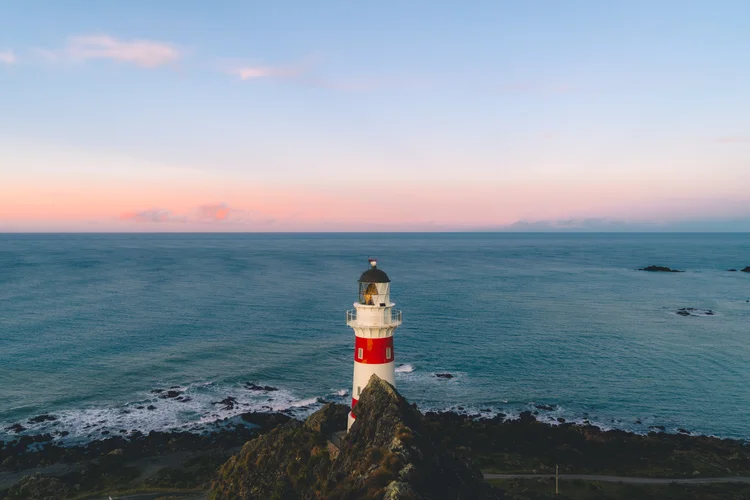
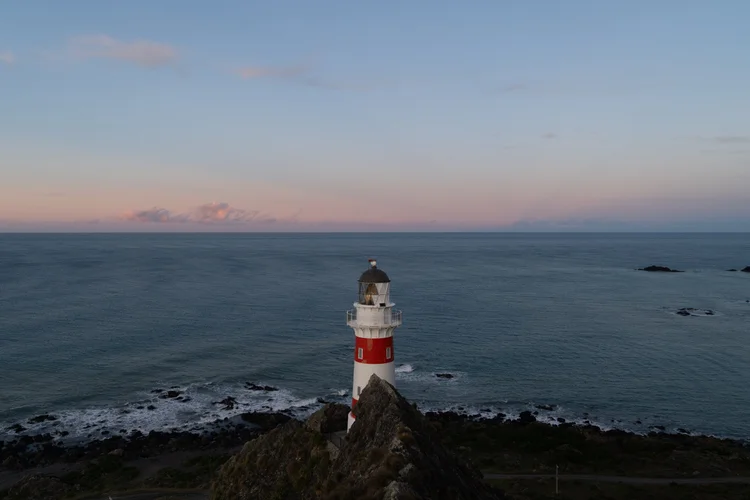
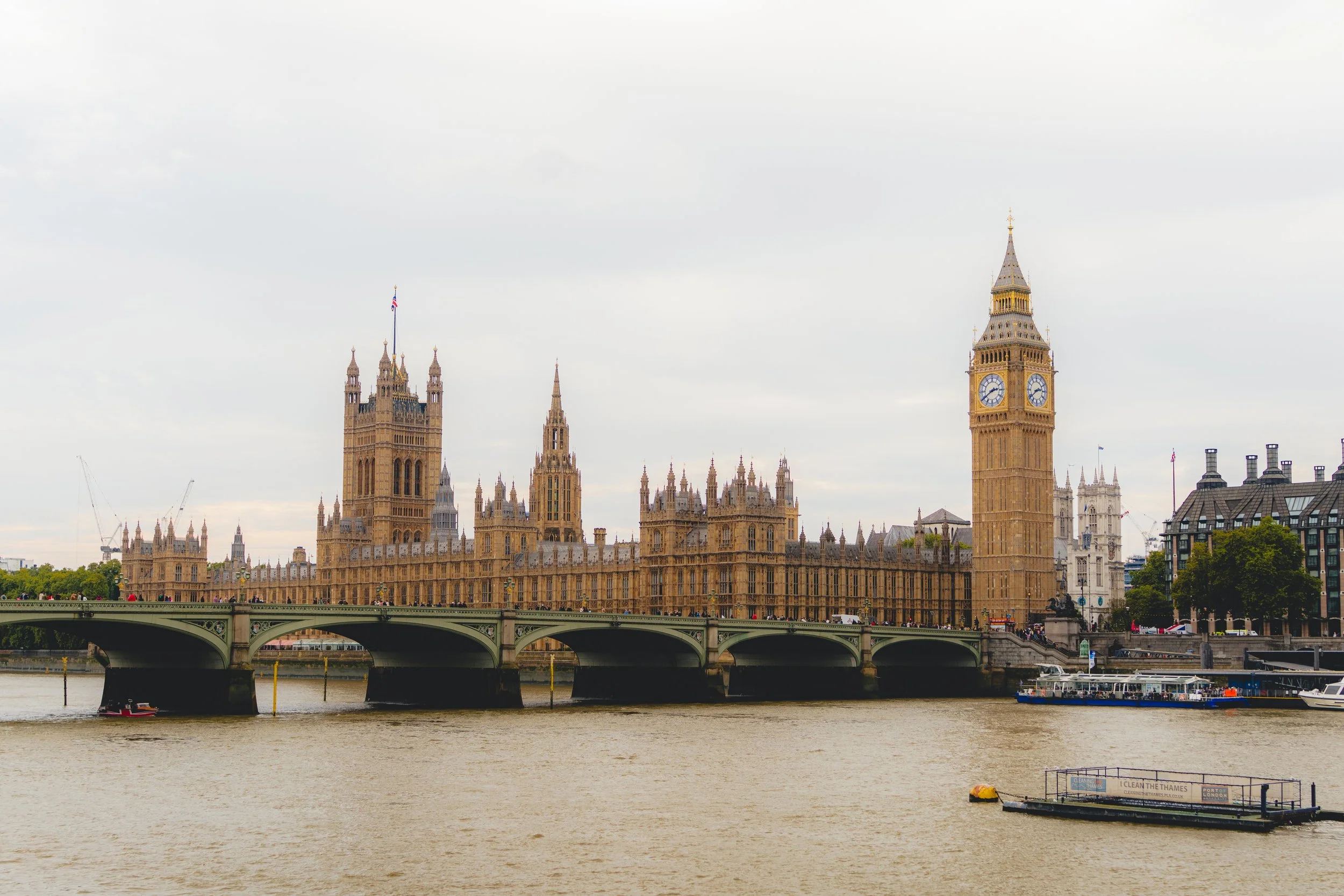
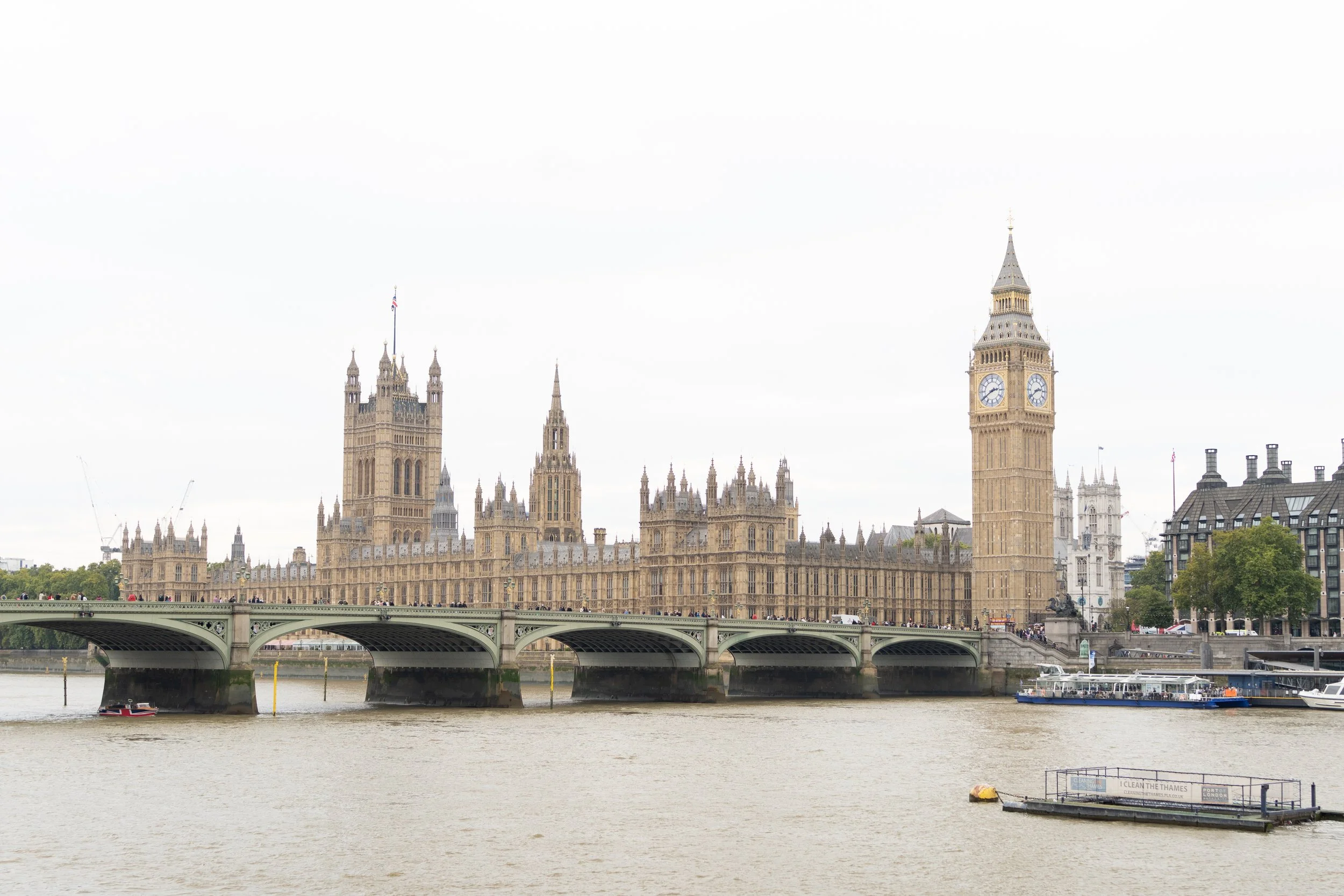
After — Nostalgia preset applied
Before — unedited
Before After
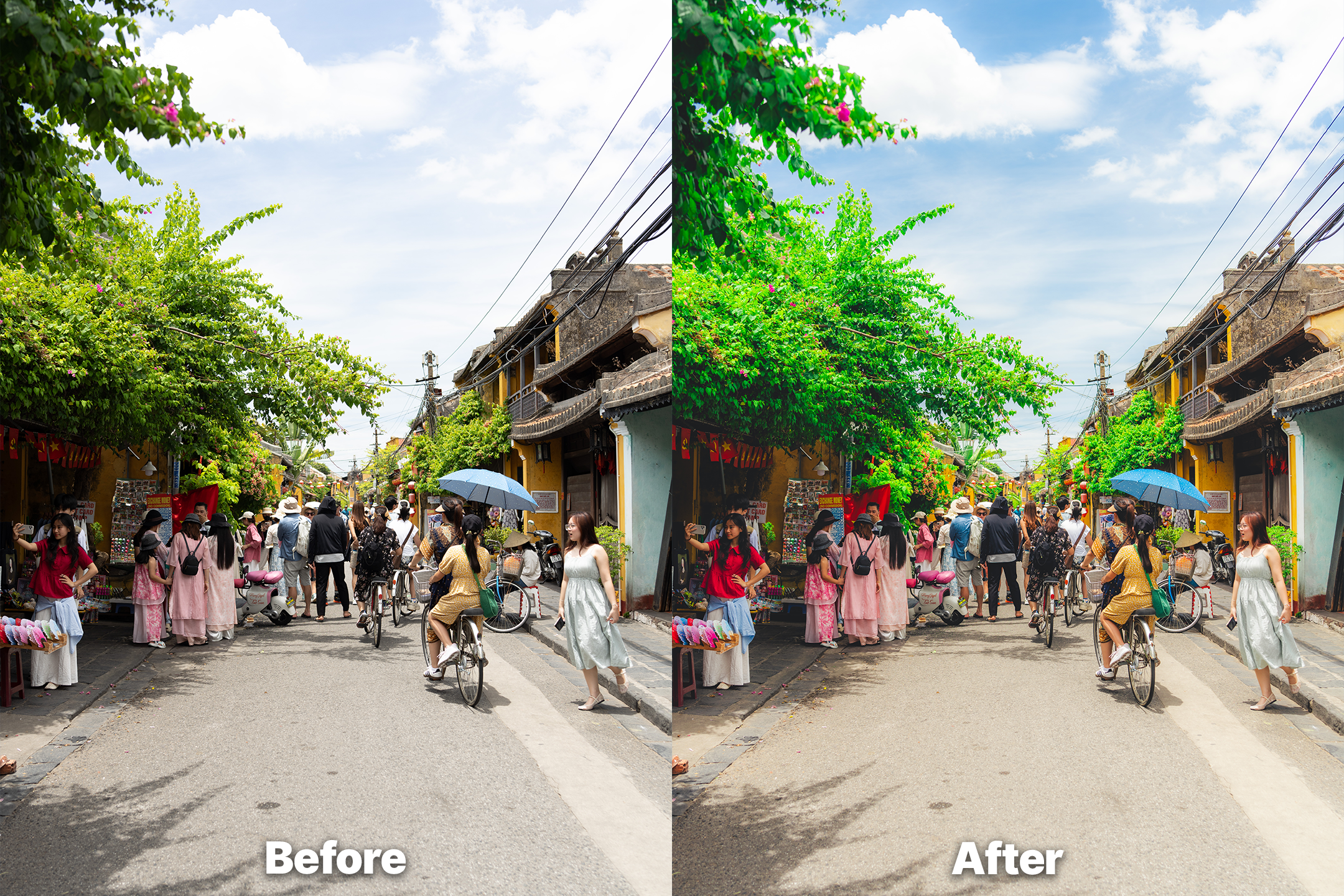
After — Nostalgia preset applied
Before — unedited
Before After
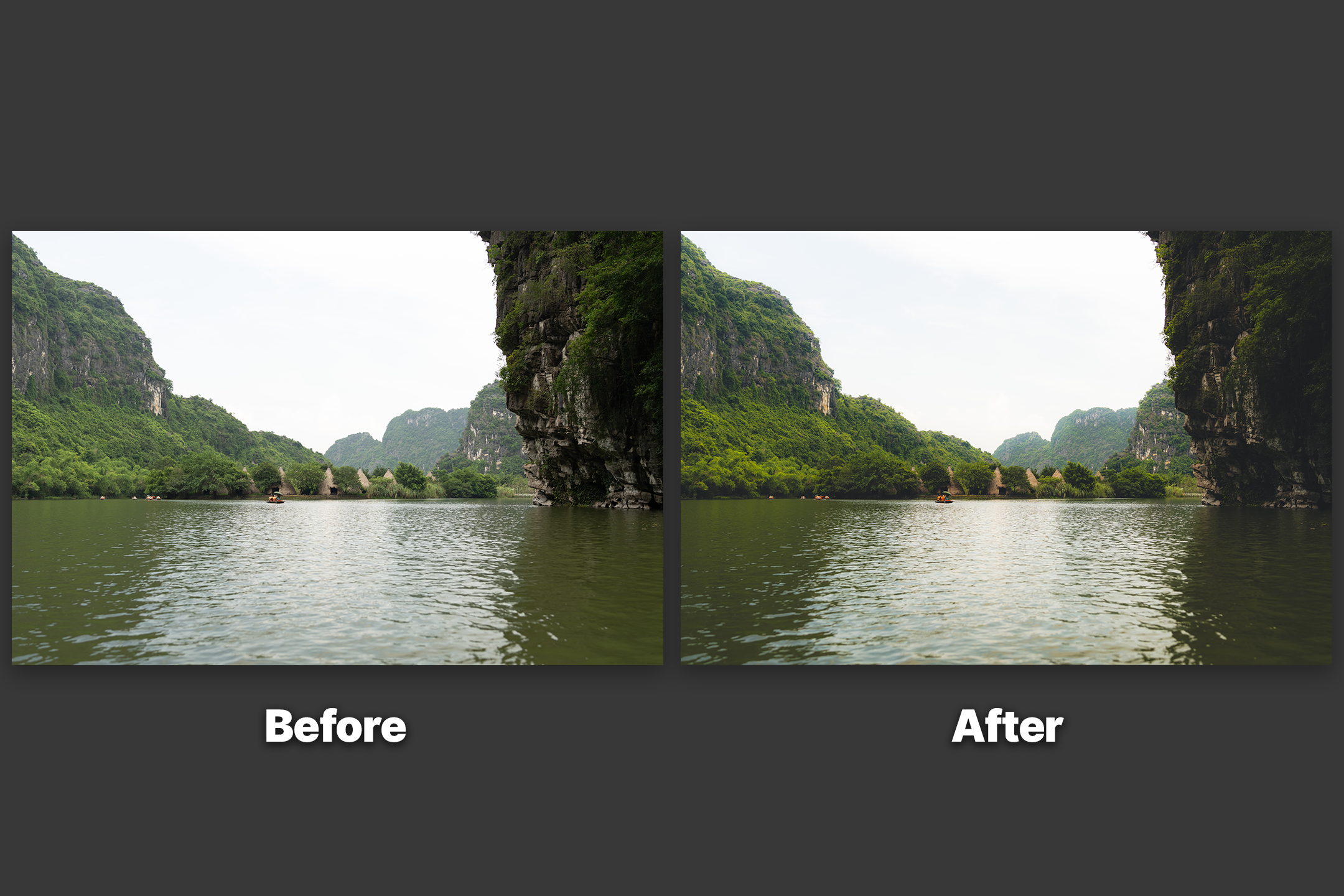
After — Nostalgia preset applied
Before — unedited
Before After

← drag the handle to compare →

Is this for you?

Be honest with yourself.

These presets work incredibly well — for the right person. Here's who that is.

This IS for you if —

  • You shoot in RAW and want a consistent editing style across your whole gallery
  • You're spending too long editing every image manually from scratch
  • You want a professional starting point you can adjust to suit each shot
  • You shoot landscapes, travel, or environmental photography
  • You use Adobe Lightroom (Classic, CC, or Mobile)

This ISN'T for you if —

  • You only shoot JPEG and want a fully automatic, zero-adjustment result
  • You're looking for a filter you can apply without touching anything else
  • You don't use Adobe Lightroom and aren't willing to learn the basics
  • You mainly shoot studio portraits or product photography
  • You expect every preset to look perfect on every image without any tweaking
Included

What's in the collection.

Everything you need to start editing with a consistent nostalgic look.

15 Lightroom Presets (.xmp) Warm, vintage-filmic tones refined across years of real shooting
Tutorial Video Download, import, install, and use — step by step
5 Sample RAW Photos Practice files from real shoots — test the presets immediately
Lightroom CC, Classic & Mobile Works across all versions — desktop and mobile
FAQ

Common questions.

Anything else? Email hello@zac-blake.com.

A preset is a saved set of Lightroom edit settings applied to a photo in one click. Instead of adjusting 20+ sliders manually for every image, you click once and get a professional starting point, then fine-tune from there.

Think warm, slightly faded, filmic — like a photograph from a roll of expired 35mm film. The Nostalgia Collection leans into soft highlights, warm shadows, and reduced contrast for a vintage, organic look that feels personal rather than processed. Editorial without being overdone.

You'll need Adobe Lightroom — Lightroom Classic, Lightroom CC (subscription), or Lightroom Mobile (free app). The presets are .xmp files and work across all three. The included tutorial shows exactly how to import and use them.

Yes. Built on Sony RAW files but compatible with any camera — Canon, Nikon, Fuji, Panasonic, and more. Shooting RAW gives the best results. They'll work on JPEGs too, but with less adjustability.

Almost always, yes — and that's intentional. Every photo has different light and exposure. The preset handles the style; you handle the last 20% (usually a quick exposure and white balance tweak). The tutorial explains exactly how.

Yes. Import them to Lightroom Classic or CC first, sync to your Adobe account, and they'll appear in Lightroom Mobile automatically. The tutorial covers the mobile sync process.

After purchase you'll receive a download link for a ZIP file. Unzip it, then in Lightroom go to Develop → Presets → right-click → Import Presets, and select the .xmp files. The tutorial walks through every step.

Best Value The Full Collection

Want every preset I've ever made?

The Master Bundle includes the Nostalgia Collection plus two more packs no longer sold anywhere else. One purchase — the complete set.

  • Vol. 1 — The Everyday Collection only in the bundle
  • Vol. 2 — The Nostalgia Collection
  • The Ultimate Masking Collection only in the bundle
  • 25-min tutorial + 20 practice RAW files
ZB Presets — Master Bundle